


Marke
Choosing software for property developers: criteria and scope
Choosing software for property developers: an all-in-one approach, speed, mobility and ease of use as criteria – and how kanbau addresses them.
kanbau retrieves documents from DocuWare and writes receipts, invoices and print templates back to your DMS. Stamps, annotations and index data stay visible in both systems.
We provide the login details for the demo system.
Included in: Advanced
Documents from DocuWare arrive in the kanbau inbox and are processed there into invoices or workflows.
Receipts, invoices and print templates from kanbau go back to DocuWare, so the archive stays complete.
Stamps and workflow annotations from DocuWare also appear in kanbau while you process receipts.
Programmable formulas use the metadata to decide whether a document is an incoming invoice, outgoing invoice or guarantee.
kanbau exports master data to DocuWare so index fields use the same values.
Add the access details of your DocuWare installation in the company settings.
kanbau synchronises file cabinets, dialogs and fields; you map them to kanbau fields.
Documents arrive in the inbox and are recognised as invoice or guarantee by formula.
Processed receipts, invoices and print templates go back to the DMS.


DocuWare → kanbau
Documents from your DocuWare file cabinets arrive in the kanbau inbox. Programmable formulas use the metadata to decide whether a document is an incoming invoice, an outgoing invoice or a guarantee.
kanbau → DocuWare
Receipts, invoices and print templates you process in kanbau go back to your DMS, so the DocuWare archive stays complete.
Both directions
Stamps and workflow annotations from DocuWare are visible in kanbau. Index fields can be linked to contract and invoice data, and kanbau exports master data to DocuWare.
DocuWare remains your archive, kanbau handles the commercial work: contracts, invoice review, guarantees and payments. Because both systems know the same documents and reference terms, nothing is entered twice.
In kanbau, all incoming documents come together in the inbox. DocuWare is one source alongside email accounts, manual upload and scanning apps. Documents that kanbau retrieves from DocuWare appear in the inbox with project assignment and labels, and can be linked to contracts, invoices or defects. From there you turn a document into an incoming invoice or start an invoice approval workflow.
The commercial review takes place in kanbau: cumulative invoicing against the contract, deductions and retentions from the purchase contract, review history and posting checks. Stamps and annotations made in DocuWare are visible right on the receipt. Once the invoice has been processed, kanbau writes the result back to your DMS. See invoice processing for the full path from capture to payment.
Besides invoices, kanbau also takes over guarantees from DocuWare – incoming and outgoing. In kanbau you manage them with type, amount, guarantor, expiry date and links to project and purchase contract; the contract then shows a note on existing guarantees.
If required, you save your own print templates from kanbau directly in DocuWare and use them there for specific document types.
So that index fields in DocuWare use the same values as kanbau, kanbau exports master data to DocuWare. Reference terms no longer have to be maintained by hand in both systems.
You enter the access details of your existing DocuWare installation in the kanbau company settings. kanbau then synchronises the archive structure and lists dialogs, file cabinets and fields, which you map to kanbau fields. You can connect any number of DocuWare installations – a good fit for property developers with several companies or complex project landscapes. No custom interface development is needed, and your data structure in DocuWare stays as it is.
The DocuWare integration is part of the Advanced package; we are happy to send you the price list (request plans and pricing). You need an existing DocuWare installation and access details, which you enter in kanbau.
Product names mentioned are trademarks of their respective owners.
Enter the access details of your DocuWare installation in the company settings. kanbau synchronises the archive structure and lists dialogs, file cabinets and fields that you map to kanbau fields.
kanbau recognises the document type automatically: programmable formulas decide, based on the metadata in DocuWare, whether a document is an incoming invoice, an outgoing invoice or a guarantee.
Several DocuWare installations can be connected, as many as you need – useful for property developers with complex project and company structures.
The DocuWare integration is part of the Advanced package.
Request plans and pricing →Every module uses the same data – nothing is entered twice.
Choosing software for property developers: an all-in-one approach, speed, mobility and ease of use as criteria – and how kanbau addresses them.
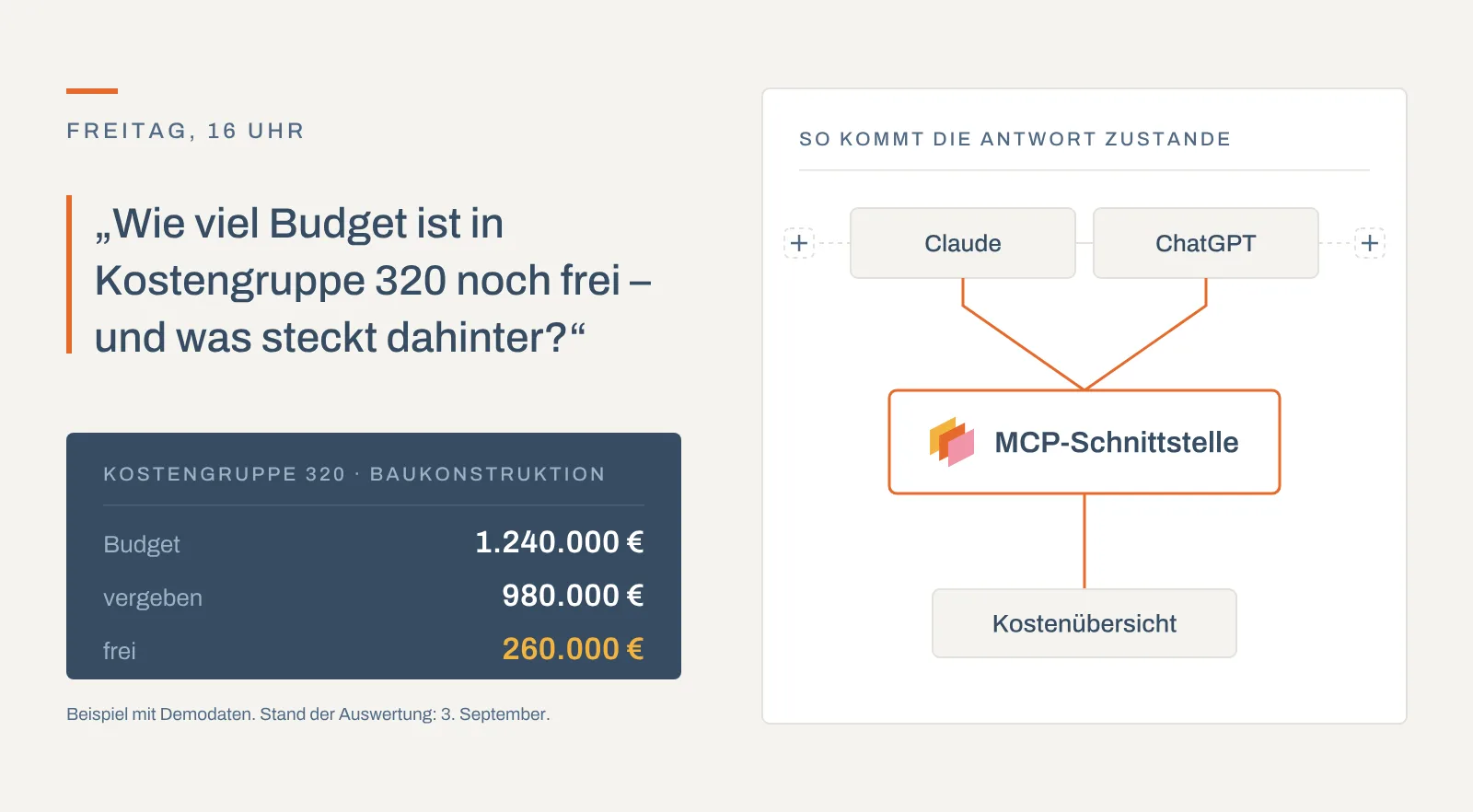
kanbau now has an MCP interface: your AI assistant works directly with your project data – explaining costs, reading contracts, recording invoices.

New in kanbau: the site diary for property developers – AI text recognition, automatic weather data, digital signatures and PDF in one click.

30 minutes, with your questions and your processes.
Book a demoor call: +49 911 477 133 80